Why Students Should Annotate Their ChatGPT Chats
Turn “Did you cheat?” into “Show me your thinking.”

Big thanks to the amazing work Mike Kentz has done in this area that provided inspiration for this post
If you’re asking students to paste their ChatGPT logs into a doc, then you skim them quickly to see whether they cheated, you’re wasting the most valuable new assessment artifact you’ve had in years.
Don’t look at chats as evidence of dishonesty.
They’re evidence of process.
Stop treating AI chats like a crime scene.
Start treating them like a text your students can annotate.
That one shift unlocks a pile of pedagogical power.
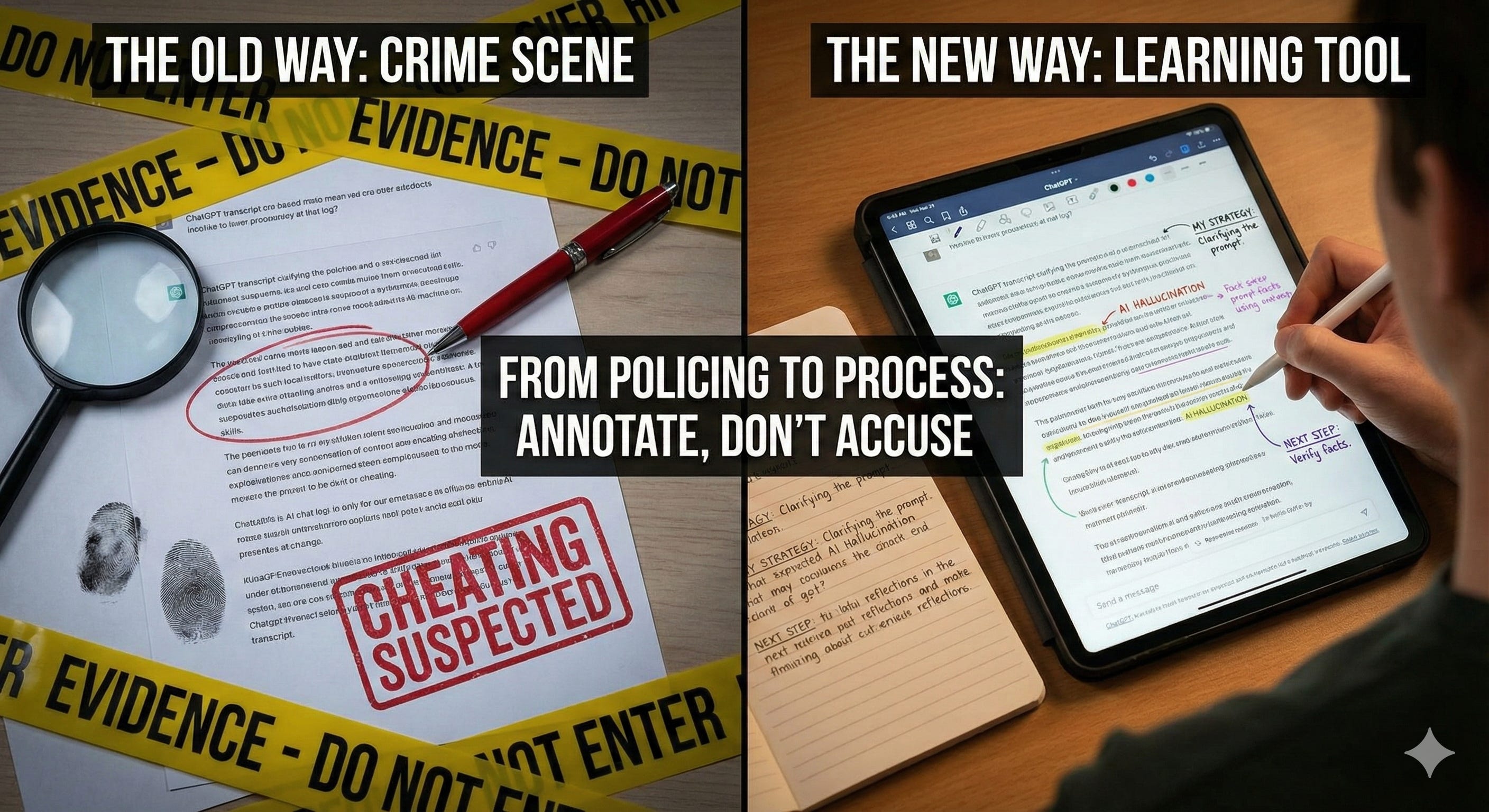
The core idea here is to assess the process of working with AI instead of pretending the final product is “purely student work” in a world where that is increasingly fiction.
Annotating chats is the next turn of the screw.
It takes “grade the chats” and turns it into “show your work for the AI era.”
What does that mean for you in a real classroom with real constraints?
Chat transcripts are the new “show your work”
Math teachers solved the calculator problem a long time ago.
They didn’t ban calculators forever. They said:
“You can use the tool. But I still need to see your reasoning.”
So they started grading the steps, not just the answer.
Remember “partial credit?” I do, it save my ass more times than I can count.
We are in the same moment with AI.
If all you look at is the polished essay, lab report, or slide deck, you have no idea:
how much the student understands
how much the AI did
where the misconceptions live.
When you look at their chat transcript, you figure out:
How they interpreted the assignment
How they broke the task into sub-problems
Whether they pushed on the AI or accepted the first thing it spit out
Whether their confusion is about content, reading the task, or how AI works
When I started analyzing student transcripts, I could see good use, bad use, and messy gray-area use that had nothing to do with cheating and everything to do with students not understanding the task, or the tool, or both.
Now add students annotating the chats on top of that.
Instead of you doing all the interpretation, you push the metacognition back on students.
You ask them to annotate their own chat and explain what they were trying to do, what worked, and what they would do differently next time.
That is where the real learning is.
Why annotation and not just “turn in your chat”
Here is the pattern I see in a lot of schools right now:
Teacher worries about cheating
Teacher tells students to submit their ChatGPT log “for transparency”
Teacher skims it, mostly looking for gotchas
Everyone is more anxious, nobody is much smarter
This is a waste.
AI chats are just text.
Same as a short story, a primary source, or a lab notebook.
We already know what to do with text.
We annotate it, we ask questions of it, we use it to surface thinking that is usually invisible.
That is literally how we teach reading and writing in the first place.
The missing step right now is that we haven’t built that same annotation muscle for AI.
We’re skipping straight to analysis and reflection without helping students develop basic literacy.
Why does it matter to slow down and annotate?
Annotation builds metacognition and AI literacy
When students annotate readings, they write better, think more critically, and perform better on content assessments.
When students annotate their AI chats, you get the same metacognitive lift, plus AI literacy.
They’re asking:
“Why did I ask that question?”
“Why did the AI respond this way?”
“What did I accept without thinking too hard?”
That’s exactly the kind of reflective friction we need if we want humans working with AI instead of just offloading thinking to it.
You diagnose the actual problem faster
When you read a student transcript plus annotations, you’ll see in one minute what would have taken you weeks to infer from traditional assignments.
Take this example of a “bad” chat.
A student was supposed to rewrite a Romeo and Juliet scene in a new context. Instead of asking for help with the scene, they asked ChatGPT “Is Romeo and Juliet boring?” and then followed the AI down a rabbit hole of opinions. The output missed the assignment completely.
At first glance that might look like laziness or gaming the system.
Looking at the chat and the context, it became clear the root issue was that the student had skimmed the project menu and never actually understood the task.
The misunderstanding was about reading, not “AI abuse.”
Once you see that, your intervention is different.
You don’t need an AI policy. You need to teach them how to read an assignment critically
Annotated chats let you see those root causes very quickly.
You shift from “gotcha” to “explain your thinking”
If students know what matters is being able to explain their process, using AI stops being something they hide and starts being something they can talk about.
That matters for trust. It also matters for equity.
Students who are already confident with tech will use AI no matter what you do.
Students who are less confident or more afraid of being accused of cheating will hold back unless they know how to use it and how to talk about their use.
Annotation gives them that language.
Plan an annotated ChatGPT chat
OK, let’s make this real.
At its simplest, an annotated chat is just:
The original back-and-forth between student and AI
Student comments explaining what they were thinking
You don’t need a fancy tool. A pasted transcript in Google Docs with comments works fine. So does a PDF with handwritten notes.
Try this:
For each student message in the chat, students answer the following:
What was I trying to get the AI to do here?
Why did I phrase it this way? (What was my strategy, if any?)
For each AI response, students answer the following:
What did I find useful in this response, and what did I ignore?
How did this shape what I did next?
That’s it.
Four questions. No rubric. No points.
Just practice noticing their own thinking.
In my own planning chats for entrepreneurship courses, I often ask AI to ask me questions first so it doesn’t hallucinate a generic course. In my annotations, I call that out explicitly:
“Here I am telling the model to interview me. I do this because when I just say ‘design a course,’ I get a bland, surface-level outline that does not match my students or goals. The questions force me to clarify my own thinking before I let the model generate content.”
If a student handed you a chat plus an annotation like that, you could have a real conversation about their thinking and strategy (process), not just their output (product).
A low-friction way to pilot this next week
You don’t need to redesign your whole assessment system to try this.
Start small.
Here is a simple pilot you can run in any course where students are already using ChatGPT (formally or informally).
Step 1: Model on your own chat
Pick a chat where you used AI to plan a lesson, project, or exam question. Don’t overthink it.
Paste 6–10 interactions into a doc and add short annotations like these:
“Here I am dumping context without a clear question. Not helpful.”
“Here I realized the model gave me a list that looked good but did not fit my students. I should have pushed back.”
“This follow-up question is better. I’m narrowing the task and setting constraints.”
Show this to students and talk out loud through your thinking for a few minutes.
Don’t try to look perfect. The point is to normalize critically using AI.
Step 2: Give students a small annotation task on an existing chat
Ask students to pick one ChatGPT conversation they used for your class in the last week. It could be:
Getting feedback on a draft
Brainstorming ideas for a project
Asking for explanations of a concept
Have them:
Paste the chat into a doc
Pick any five student messages and any five AI messages
Add annotations using the four questions from above
Tell them you aren’t grading them on whether their AI use was “good” or “bad,” you’re grading them on whether they can explain what they were doing.
This is crucial. If the first experience with annotation feels like a trap, they will go right back to hiding their AI use.
Step 3: Use a 3-question debrief
At the end of class, students answer these questions in a couple sentences each:
Where in your chat did you see yourself thinking well with AI? What made it good?
Where did you see yourself using AI lazily or uncritically? Be honest.
What’s one concrete change you want to make in how you prompt or follow up next time?
Collect these with the annotated chat.
That is your formative assessment.
You’ll see who is developing a healthy mental model of the tool and who still thinks it’s a magic answer machine.
One prompt you can steal right now
If you want help designing that first mini-assignment for your context, drop this into your AI chatbot of choice and let it do some of the heavy lifting:
You are an instructional coach and AI literacy specialist who helps K–16 teachers design short, in-class assignments that build students’ critical use of AI tools like ChatGPT.
Your objective is to help me design a one-class-period assignment where my students annotate a real ChatGPT conversation they already had for my [COURSE / GRADE / SUBJECT] class, in order to reflect on how they used AI and what it did well/poorly.
When the conversation starts:
1) First, ask me 3–5 clarifying questions about:
- My course/grade/subject and who my students are
- The original assignment they used AI on
- My learning goals for AI literacy and/or content
- Class period length and constraints (assume 45–60 minutes if I don’t specify)
- Any school or department policies about AI use
2) Wait for my answers. If I skip details, make reasonable assumptions but state them briefly before drafting.
After you have my answers, produce three clearly labeled sections:
1) Assignment description (student-facing)
- 1 short paragraph (4–6 sentences), in clear, friendly language.
- Explain that students will revisit and annotate a past ChatGPT conversation they had for this class.
- Emphasize goals: understanding how AI responded, evaluating quality/accuracy, and reflecting on responsible use.
2) Annotation prompts
- Provide 4–6 numbered prompts or sentence starters students can write next to the ChatGPT transcript.
- Ensure they cover: (a) what the student originally asked, (b) what ChatGPT did well, (c) where it was incomplete/misleading, (d) how the student revised or should revise their prompt, and (e) how they would use or cite AI output ethically.
3) Quick 4-point completion rubric
- Create a simple rubric with 4 levels (4–3–2–1) and 3 criteria:
- Thoroughness of annotation
- Depth of reflection on AI strengths/limits
- Alignment with assignment directions and academic integrity.
- Use very short, teacher-friendly descriptors so I can skim and score quickly.
That’s enough to get you moving without buying into a massive framework.
Where this fits in your bigger assessment strategy
Quick reality check.
Annotated chats are powerful, but they’re heavy; they take time to design and time to read.
Don’t do this every week. In my experience, a couple times a semester per course is plenty.
You’re using annotation to:
Build the habit of explaining their thinking
Give yourself one clear window into how they are using AI in your class
Insert friction so students can’t just copy-and-paste their way through AI
The rest of the time, you can still:
Let students use AI more informally on smaller tasks
Grade traditional assignments when that makes sense
Spot-check chats when you need to understand a weird output
Think of annotated chats as your “deep dive” assessment of AI use, not your everyday practice.
Ready-to-use assignment: “Annotate Your Own Chat”
Length: 1–2 class periods
Purpose: Make students’ AI use visible and build metacognition and AI literacy
Best timing: After a major AI-assisted task (paper, project, lab, case writeup)
Student-facing assignment description (paste and tweak)
Over the next class period, you will annotate one ChatGPT conversation you used for this course.
Your goals are:
To make your thinking visible
To show where AI helped and where it hurt
To identify specific ways you want to use AI more effectively next time
I’m not trying to catch you cheating, I want to help you explain your process. Honest, thoughtful annotations will help your learning and your grade more than trying to make yourself look perfect.
A simple annotation key your students can actually use
Post the following as instructions for a discussion post or assignment in your LMS:
For each student message you annotate, answer one or more of these questions:
INTENT
What was I trying to get the AI to do here?
What problem was I trying to solve?
STRATEGY
Why did I phrase it this way?
What prompting move was I using? (giving a role, setting constraints, asking for examples, etc.)
For each AI message you annotate, answer one or more of these questions:
EVALUATE
What in this response was useful, and what was not?
What did I trust, and what did I question? Why?
NEXT MOVE
How did this response shape what I did next?
In hindsight, what should I have asked next instead?
Lightweight rubric for chats + annotations
Neither of us wants to spend our weekend buried in 200-page transcripts. So here’s a fast rubric you can use.
Category 1. Coverage of the chat (0–3 points)
0: Fewer than 6 total turns annotated, or missing the chat
1: 6–8 annotations, but only on one side (mostly student or mostly AI)
2: 8–10 annotations spread across the chat
3: 10+ annotations that cover the beginning, middle, and end of the interaction
Category 2. Quality of annotations (0–4 points)
0: Comments are vague (“idk,” “this is good,” etc.) or copy-paste the prompt
1–2: Some specific explanations, but mostly superficial
3: Clear explanations of intent and evaluation, with at least one honest critique of their own move
4: Consistently specific, reflective, and linked to task goals
Category 3. Reflection on AI use (0–3 points)
Based on their 3-question debrief or a short reflection paragraph.
0: No reflection submitted
1: Generic comments (“AI helped a lot”)
2: Names at least one concrete change for next time
3: Connects their chat behavior to broader habits (“I rush to accept the first answer”, “I never ask why the model suggested that”)
With this process you signal to your students “this matters enough that I’m grading it.”
Variations by subject and level
You can keep the core structure and tweak the annotation focus based on your context.
Humanities
Add an annotation question:
“Where did I push the AI to dig deeper into evidence, nuance, or counterarguments?”
Ask them to mark places where the AI flattened complexity or oversimplified a controversial issue.
STEM
Add an annotation question:
“Where did I check the AI’s reasoning or calculations against another source?”
Require them to annotate at least one place where the AI was wrong or incomplete and to explain how they caught it.
Entrepreneurship / business
Add an annotation question:
“Where did I accept a generic idea instead of pushing for something differentiated?”
Ask them to mark any place where the AI suggested something that wouldn’t work in the real world and explain why.
First-year students vs advanced
For younger or more AI-novice students, require less annotation prompts:
“What was I trying to do?” and “Was this helpful?”
For advanced students, push into “What assumptions is the AI making here?” and “How is this shaping my own thinking or bias?”
Common failure modes and how to handle them
Failure mode 1: Students rewrite history
They tweak the chat before submitting so it looks like they used AI “the right way.”
What to do
Require them to share a link to their chat in addition to the document with the annotations
Make the first run low-stakes and emphasize that messy chats are more useful
Reward honest identification of “lazy” or “uncritical” AI use with rubric points
Occasionally ask students to annotate a live chat in class where you can see the transcript stream
Failure mode 2: Annotations are fluff
You get a lot of “this is good,” “this helped,” “this was useful.”
What to do
When you’re modeling annotation, show “bad” vs. “good” annotations
Give sentence stems on the board:
“This helped because . . .”
“This hurt me because . . .”
“Next time I would . . . instead.”
In feedback, quote one fluff annotation and ask a follow-up question so they see what you’re looking for
Failure mode 3: You drown in the volume
If you try to read every line of every chat, you’ll burn out immediately.
Trust me! I did this for a few semesters, trying to be thorough, before realizing I only needed to skim.
What to do
Tell students up front you will only read the annotated parts plus the reflection
Skim by scanning for comment icons and ignore the rest unless you need context
You could collect the chats but only formally grade a random 30–40 percent, clearly communicated in advance
How this evolves over a semester
You want annotated chats to evolve into a habit, not a one-off novelty.
Here’s a realistic progression:
First run
Model annotating hard
Give students a tight annotation key
Keep stakes low and focus on honesty
Second run
Let students co-design the annotation key
Add one or two criteria linked to your discipline (evidence, method, design constraints, etc.)
Later runs
Shrink the formal annotation task
Keep the expectation that students can explain their AI use whenever it matters
Start using “show me your chat” as a normal task in office hours, feedback conferences, and group work
By that point, “annotate your chat” becomes a normal part of how your class incorporates thinking with AI.
If you use this structure in your own class, save one or two of the strongest student-annotated chats.
Next time you roll this out, those become your exemplars.
Over time you’ll build your own internal “field guide” to how your students think with AI.
AI will keep evolving, and it continues to be a whole lot of chaos.
Your students’ ability to explain their thinking is the only stable asset in that chaos.
Follow me on Linkedin for more content.
Consider my services around AI training and integration, curriculum and course development, and strategic consulting and speaking here.